The Data Record Template defines the structure of the data records in a task. A task can have multiple data records templates, which is especially useful in a situation where the data record structure changes over time. However, only one data record template can be active at a time, representing the expected structure of data records during the data record import.
A data record template contains the definition of all the fields that compose the data record (id field and data fields). Each field in the data record template is composed of:
- Field Key: Unique identifier of the field
- Field Name: String to represent the field when displaying on the screen
- Field Type: Type of the field can be
- TEXT string able to contain all the characters in UTF-8 with a maximum length of 2000
- DATE encoded using the structure YYYY-MM-DD i.e. 2017-01-01
- NUMBER a numeric value with minimum value XXX and maximum value of XXX
- BOOLEAN assuming only two values, True or False
- Classify On: Indicates if the field is going to be used to classify the data record by the labelling process.
- Field Description: String with maximum of 200 characters used to describe the field.
The data record template represents uses visual defined by the data record template design to display the data records associated to it.
Data Record Template Design
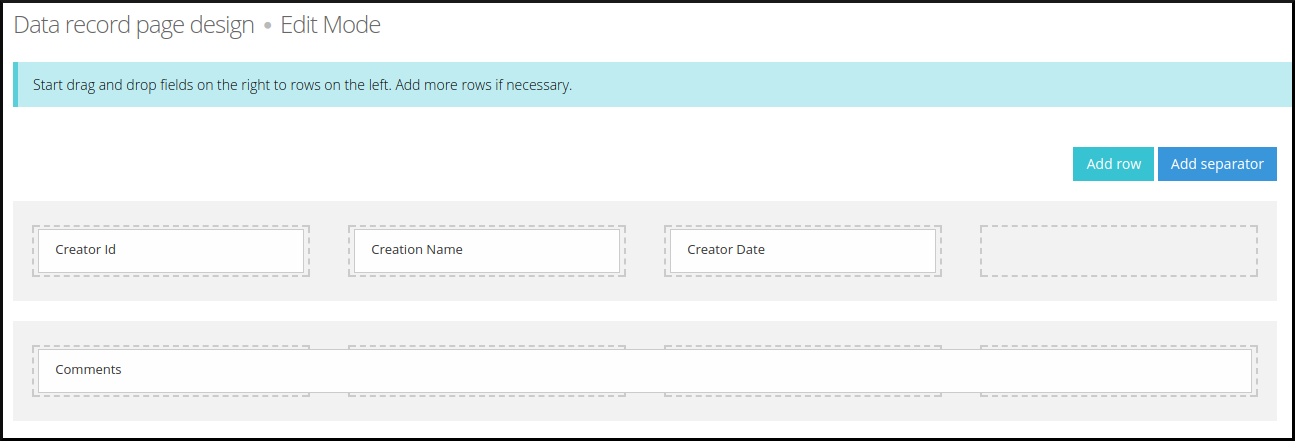
Data record template design is how all the data records associated to a data record template are going to be displayed on the screen. The data record design uses a combination of rows and separators to create the data record visualization.
To create a data record template design you need to access “task details > templates > template details > template design“. Now, you can add one or more rows and then, drag the data record fields from the right list to the rows as you can see in the image below.
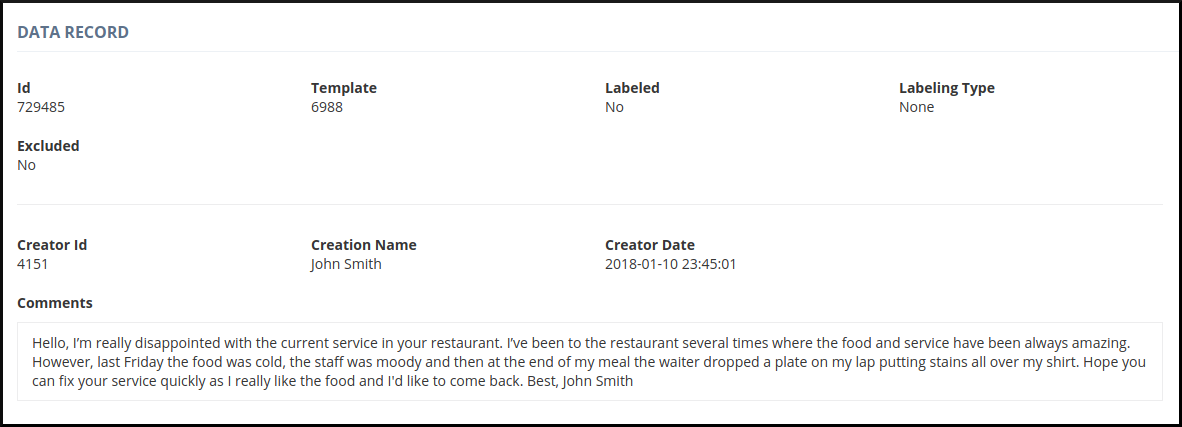
You can see below an example of a data record based on the data record template design above.
Data Record Template Pre-processing
A data record template is subject to data record template pre-processing, which is composed of a sorted list of rules used to pre-process the data records of the data record template. Each rule is composed of a target regex (regular expression) and a replacement string. The rules are applied to the data records in order when the automatic labelling process is executed.
The data record template pre-processing can be used for the following purposes:
- Cleaning text: Removing pieces of text that are not relevant for the labelling process, reducing data noise and improving the labelling performance.
- Example: Remove all the designation Mr, Miss, Mrs
- Target: “[mr|miss|mrs]” Replacement: “”
- Replace synonyms: Replacing all synonyms with one common name, reducing noise and improving the labelling performance.
Example: Replacing all the airplane synonyms with “airplane”.
Target: “aircraft” Replacement: “airplane”
Target: “a/c” Replacement: “airplane”
Target: “plane” Replacement: “airplane”